
Cosmos Video : Virtual offices for remote teams to be stay connected


Cosmos Video: in summary
Cosmos is a virtual office platform designed for remote and hybrid teams seeking more spontaneous, natural collaboration, without increasing the number of meetings. Instead of relying solely on scheduled syncs and chat apps, Cosmos offers a persistent digital workspace where team members can see who's available, start quick video conversations, and collaborate in real time.
Cosmos is best suited for distributed teams across tech, design, product, marketing, and other knowledge-based sectors. It works well for startups to mid-sized companies that value team engagement and productivity. Key features include real-time presence, instant video calls, async communication, screen sharing, and integrations with tools like Google Calendar, Outlook, and Slack.
Notably, Cosmos claims to reduce meeting time and response lag. Saving up to 45 minutes per user per day—and improve team engagement by enabling genuine daily interactions.
What are the key features of Cosmos?
Real-time team presence and availability
Cosmos replaces the need for status messages or pinging teammates with a live office-like interface. Team members can see who is available, away, or focusing—making spontaneous collaboration frictionless.
Live status indicators (e.g. Available, Listening, Focused)
Team members can opt in to be available for calls
Status-aware notifications prevent interruptions
Instant, one-click conversations
Rather than scheduling meetings, Cosmos encourages immediate conversations. Clicking on an available teammate starts a video call instantly—mimicking real-world interactions.
No meeting links or calendar invites needed
Immediate video or audio calls with team members
Post-meeting chats continue seamlessly in the same space
Integrated screen sharing and collaboration tools
Cosmos supports multi-screen sharing, allowing several participants to show their screens at once—ideal for pair programming, design reviews, or multi-perspective discussions.
Multi-participant screen sharing
Easy toggle between shared screens
Built-in whiteboarding and visual collaboration tools (in progress)
AI-powered meeting summaries and transcription
To help teams maintain context without being overloaded, Cosmos offers AI-generated notes and summaries for meetings.
Auto-generated meeting transcripts
Smart summaries with key points and decisions
Searchable records of past conversations
Async-first chat and contextual communication
For teams that don't work the same hours, Cosmos includes asynchronous chat features designed to support ongoing collaboration without overwhelming notifications.
Threaded chat conversations in context of workspace
Notifications tailored to availability status
No pressure for immediate replies
Calendar and communication tool integrations
Cosmos integrates seamlessly with tools already used by most remote teams.
Google Calendar and Microsoft Outlook integrations
Slack integration for messaging continuity
Unified space for internal and external meetings
Persistent virtual workspace
Cosmos maintains a digital HQ that mirrors a physical office—complete with rooms, conversation areas, and visibility into ongoing discussions.
Interactive office map
Join or observe ongoing discussions
Lock or record conversations as needed
To summarize
Cosmos stands out in the virtual office category by offering more than just video calls. It facilitates real-time collaboration, spontaneous interactions, and smoother team communication, all within a persistent digital space.
Key benefits include:
Reduced time wasted on scheduling, with one-click, instant conversations
Higher engagement through daily visibility and real-time availability
Faster decision-making, from discussion to action in minutes
Improved workflow continuity, thanks to AI meeting summaries and async chat
Lower overhead, offering premium functionality at a more affordable cost
Cosmos is designed for teams who want efficient collaboration without sacrificing human connection, and prefer fewer meetings, not more.
Its benefits
Remote collaboration
Impromptu call
HD video and audio calls
Spatial Virtual Office
Increase Productivity
GDPR
 Cosmos Video - All-in-one voice, video and chat app built for fast-moving remote teams
 ![Cosmos Video - Secure and Scalable Audio & Video [GDPR + SOC II]](https://www.appvizer.fr/media/application/38259/screenshot/2062371403/cosmos-video-Secure-and-Scalable-Audio---Video--GDPR---SOC-II--feature1--1x---1-.png) Cosmos Video - Secure and Scalable Audio & Video [GDPR + SOC II]
Cosmos Video - Secure and Scalable Audio & Video [GDPR + SOC II] 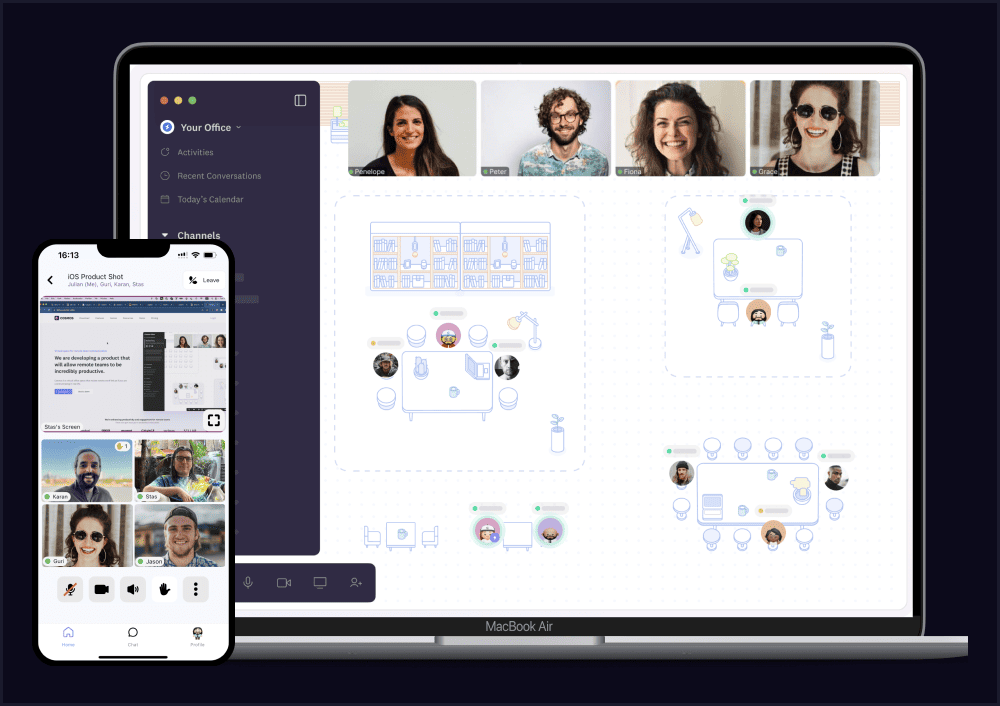 Cosmos Video - Available on all platforms: MAC, Windows, iOS, Android, Browsers
 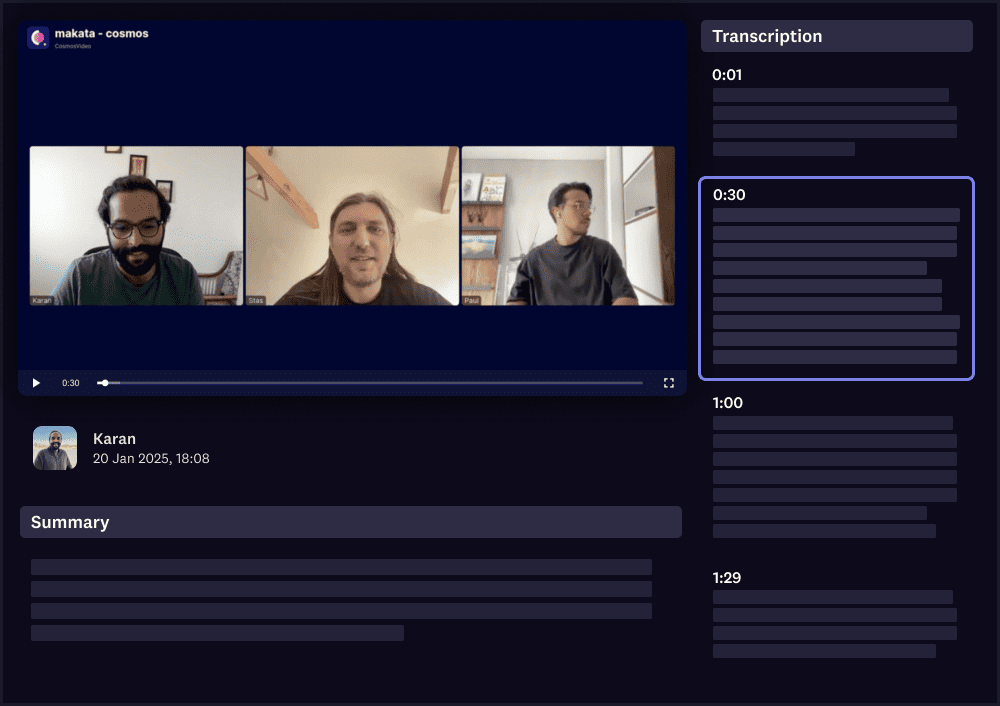 Cosmos Video - Meeting recording with AI powered notes
 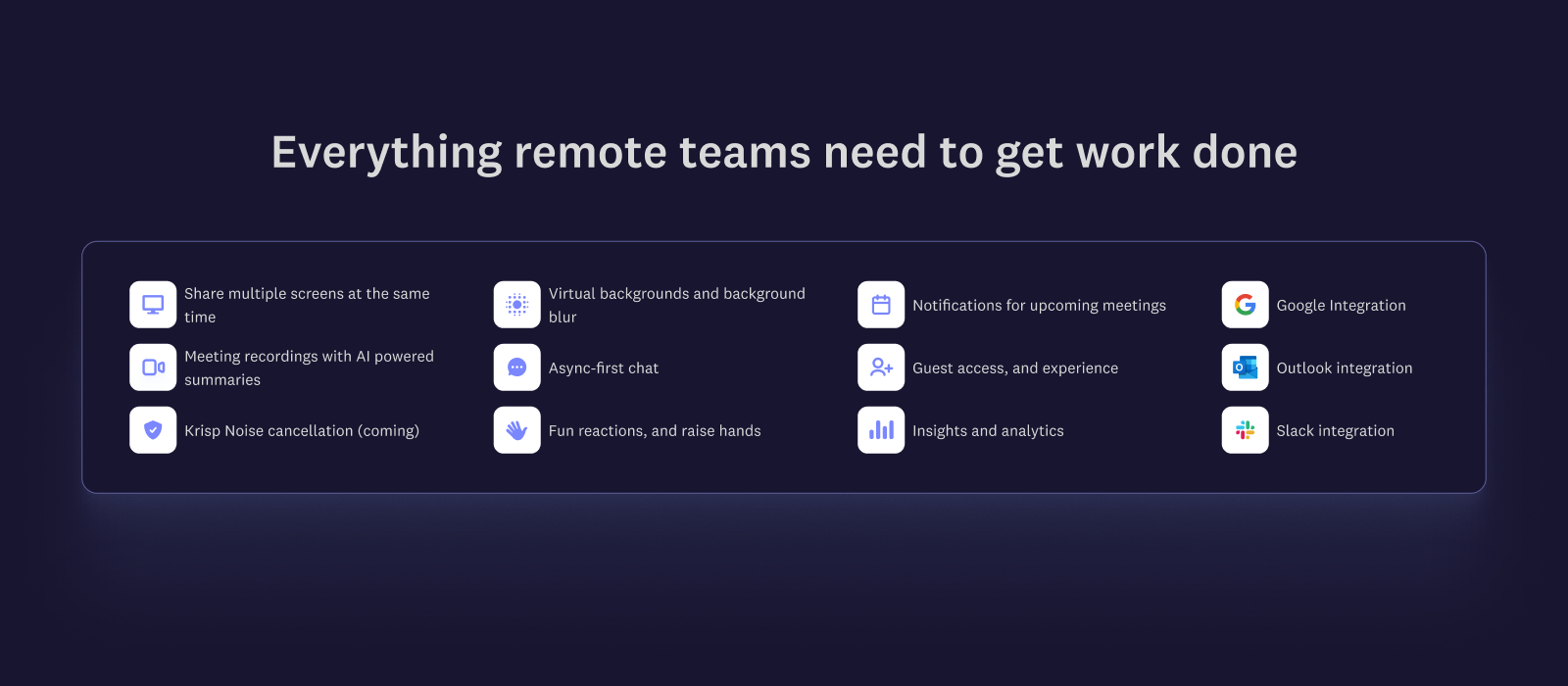 Cosmos Video - Everything remote teams need to get work done
Cosmos Video: its rates
standard
$5.95
/month /user
Clients alternatives to Cosmos Video

Streamlines online seminar delivery with robust audience engagement tools, analytics, and customization.
See more details See less details
Zoho Webinar seamlessly facilitates online seminars, aiming to maximize audience participation and feedback through its comprehensive engagement tools including polls, Q&A, and chat functionalities. Additionally, it provides insightful analytics to measure the event's success and tailor future webinars. With advanced customization options, users can enhance their brand visibility and create a more personalized experience for attendees.
Read our analysis about Zoho Webinar
Conduct virtual meetings with ease using this video conferencing software. Share screens, chat, and collaborate with colleagues from anywhere.
See more details See less details
With this software, you can schedule meetings, record sessions, and even blur your background for privacy. It also integrates with other productivity tools for seamless workflow.
Read our analysis about SkypeBenefits of Skype
250 participants per meeting
"Enterprise-Grade" security
Centralized user management

This video conferencing software offers screen sharing, virtual backgrounds, and recording capabilities for seamless online meetings.
See more details See less details
With Vis.io, users can easily connect with colleagues or clients from anywhere, thanks to its reliable audio and video quality. The software also offers chat and file sharing features, making collaboration simple and efficient. Plus, its user-friendly interface ensures a smooth experience for all users.
Read our analysis about Vis.io Appvizer Community Reviews (0) The reviews left on Appvizer are verified by our team to ensure the authenticity of their submitters.
Write a review No reviews, be the first to submit yours.